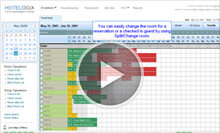
Frontdesk Help Videos

Hotelogix Frontdesk is a no-compromise, Enterprise Level management solution that offers a long list of powerful features to streamline your work and enhance productivity. Such a system would usually bringforth an impression of a Complex application that could take days to understand and months to master. A long & taxing training may appear inevitable, and so would the efforts to retain the operational staff that is trained.

But this is only until you have watched it in action!!!

Hotelogix offers Frontdesk with its revolitionary design and Graphical Interface that dramatically cuts costs and simplifies the tasks of managing your Frontdesk.

Enjoy the power of an Enterprise PMS that lets you works with uncanny simplicity.
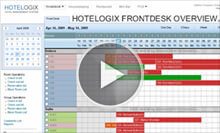
Frontdesk Overview
  • Experience the Revolutionary Graphical Interface of Hotelogix that gets complex Frontdesk tasks done in a breeze.
  • Dynamic tape chart displays 'up-to-the-minute' status of your Property. Edit/update directly through simple point & click controls.
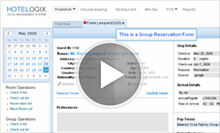
Group Reservation Overview
Hotel Front Desk Video
  • Book multiple rooms & apply multiple rates and dates while keeping it unbelievably simple.
  • Manage Groups from Travel Agents, Corporate customers and even your Website. Allocation of Comissions, Discounts at valid Negotiated Rates, all applied automatically.
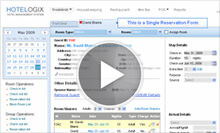
Single Reservation Overview
Hotelogix Front Desk Overview
  • Multi-task with multiple bookings open in separate tabs on one screen, and get total control on your booking transactions offering enhanced productivity & efficiency levels.
  • Offer multiple rates/packages, split bookings, add-on services, custom packages, and charge room sharers, taxes with custom preferences; All managed & updated by clicking on them.
Quick Operations
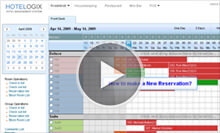
How to make a new Reservation?
Hotel System Helpdesk Videos
  • Making a new Reservations is like simply drawing them on the status chart.
  • Add guest info with choice of valid Rates & Packages to choose from & confirm Reservations in seconds.
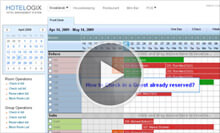
How to Check In a Reservation?
Single Reservation Help Video
  • Simply right-click on the booking and select Checkin from the menu options to check-in the guest .
  • Invoke automatic printing of Check-in card, and all Service inclusions of Rates updated in respective Departments with schedules.
How to Check Out a Reservation?
How to check out video
  • Check out Guests quickly with easy-to-use Right click menu on the chart directly.
  • Reconcile accounts instantly from multiple integrated interfaces & settle accounts by options to carry-out complex billing tasks with ease.
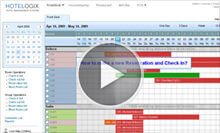
How to make a new Reservation and Check In?
  • Draw the Reservation on current dates and accept deposits to check-in your walk-ins on the go.
  • Invoke automatic printing of Check-in card, and all Service inclusions in the applied rate(s) get updated in respective Departments with correct schedules.
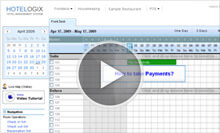
How to take Payments?
  • Right click on the booking to acces its Accounts details & reconcile all purchases & expenses instantly.
  • Generate bills and settle accounts with multiple payment options including cash, creditcard, city ledger, check etc.
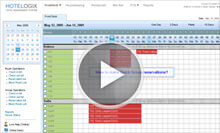
How to make a Quick Group Reservations?
  • Draw the booking on the chart & specify number of Rooms to book them simultaneously with valid Rates & Package options.
  • Automatically updates Rates and applies Taxes as per occupancy.
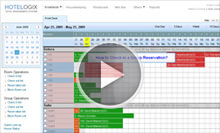
How to Check in a Group Reservation?
  • Check-in large groups with a Single Right-click operation & with automatic allocation of Rooms that saves time.


How to Split Reservation from Frontdesk?
  • Check-in large groups with a Single Right-click operation & with automatic allocation of Rooms that saves time.


Click here to try now. It takes less than 10 minutes to setup your property for test run on Hotelogix.